Browse the docs
Docs›Writing replies
Undo, Try again and Pick another FREE
Every draft X-Reply puts in the reply box can be taken back: Undo restores your text, Try again writes another, and Pick another reuses Pro drafts.
Free for everyoneAdded in 2.7.3
How to use it
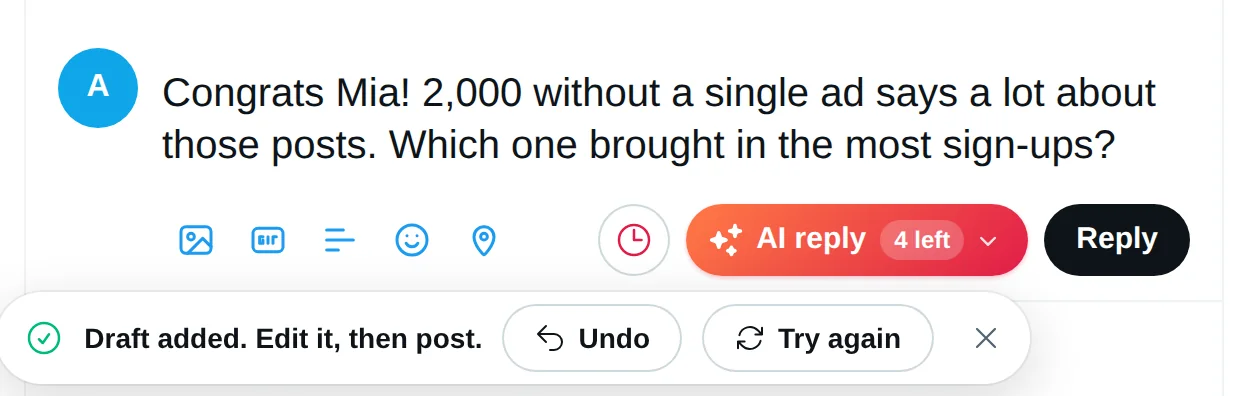
- 1After a draft goes in, a toast says “Draft added. Edit it, then post.”
- 2Undo puts back what was in the reply box before X-Reply changed it, also after Improve.
- 3Try again writes a new draft in the same tone (about 1 credit).
- 4After you pick one of Pro’s drafts, Pick another shows the same drafts again and puts another in, at no cost.
See it in action · 0:12On a demo X page with made-up people. Nothing is posted.
- A draft lands in the box
- Click Undo on the “Draft added” toast
- What you had typed comes back
If something goes wrong
- “Couldn’t clear the reply box”
- Select the draft in the reply box and delete it.
- “Couldn’t put your text back”
- The card shows what was in the box: copy it and paste it there.
Still stuck? Help and contact.