Browse the docs
Docs›Writing replies
Add your own improvements PRO
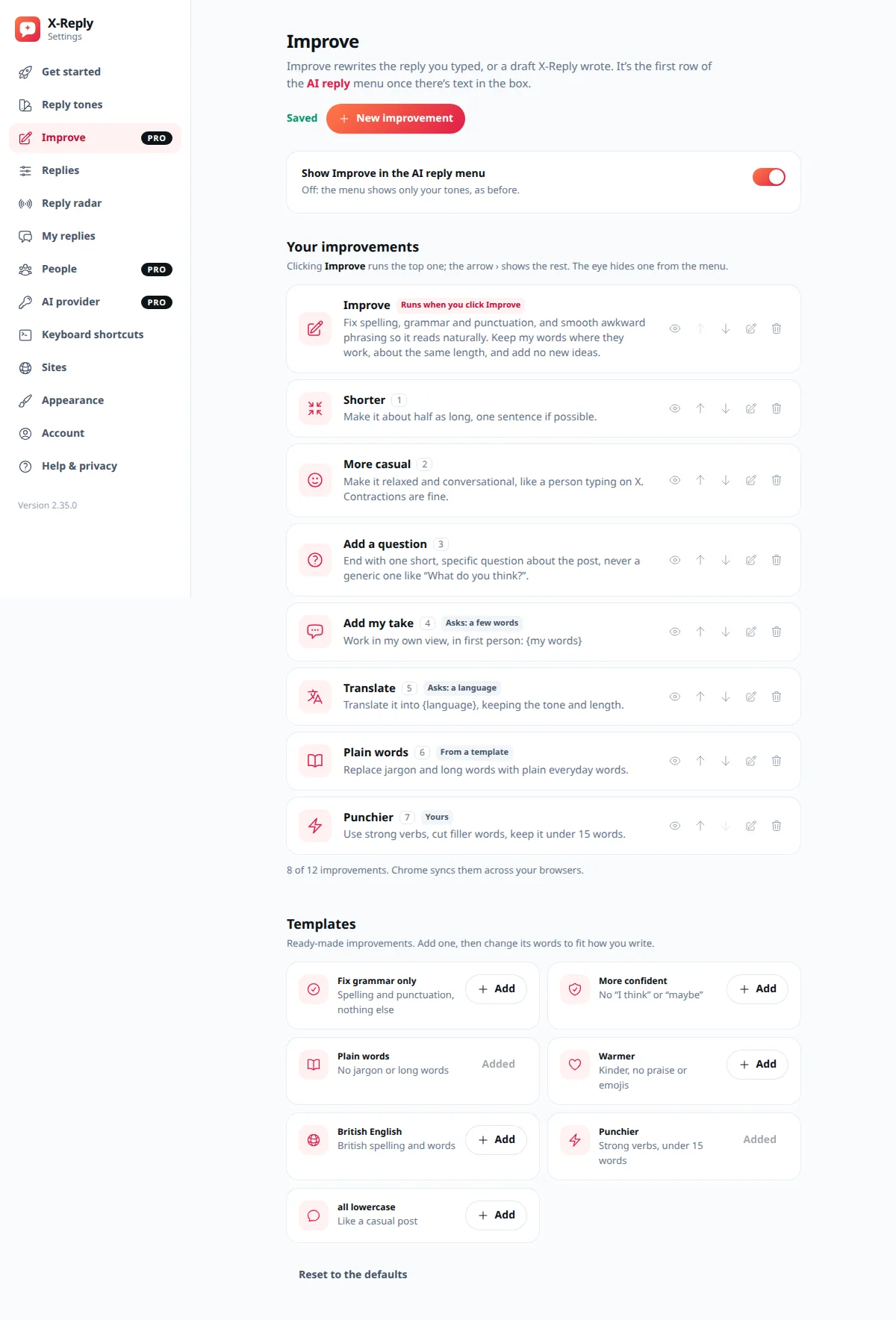
Write your own improvements, like “Use British spelling”, or add ready-made templates. Up to 12, and X’s menu changes at once.
Part of X-Reply ProAdded in 2.11.0Settings › Improve
Pro: $7.99 a month or $49 a yearHow to use it
- 1Open Settings › Improve and click New improvement.
- 2Give it a name (up to 24 characters), an icon, and what it should do (up to 300 characters).
- 3Write {my words} in it to type a few words each time you use it, or {language} to pick a language. Use only one of them.
- 4Or add a template: Fix grammar only, More confident, Plain words, Warmer, British English, Punchier or all lowercase.
- 5Edit or delete the built-in ones too. Reset to the defaults brings them back first and keeps yours after them.
See it in action · 0:10On a demo X page with made-up people. Nothing is posted.
- Open Settings › Improve
- Add a template or write your own improvement
- It shows under › in the AI reply menu on X
What is sent where
Your improvements are kept in Chrome’s synced storage. When you use one, its instructions go with the reply to X-Reply’s server and OpenAI, as for Improve.
More in What is sent where and the privacy policy.
If something goes wrong
- “Unknown placeholder {tone}. Use {my words} or {language}, and only one of them.”
- Only {my words} and {language} work as placeholders. Remove the other braces.
- “That’s the maximum of 12 improvements. Delete one to add another.”
- Delete one you don’t use, then add the new one.
- “Your improvements hold more text than Chrome sync keeps (8 KB)…”
- Shorten a few instructions. This mostly happens with long texts in non-Latin scripts.
Still stuck? Help and contact.