Browse the docs
Docs›Getting started
Install X-Reply and sign in FREE
Add X-Reply to Chrome, try a sample draft before you sign in, then sign in with Google for 6 free reply credits a day, no card needed.
Free for everyoneSettings › Get started
How to use it
- 1Open X-Reply on the Chrome Web Store and click Add to Chrome. It runs in Chrome on a computer, and in Edge, Brave and other Chromium browsers that install from the Chrome Web Store.
- 2Pin it: click the puzzle icon in Chrome’s toolbar, then the pin next to X-Reply, so its popup (your credits, Reply later and Progress) is one click away.
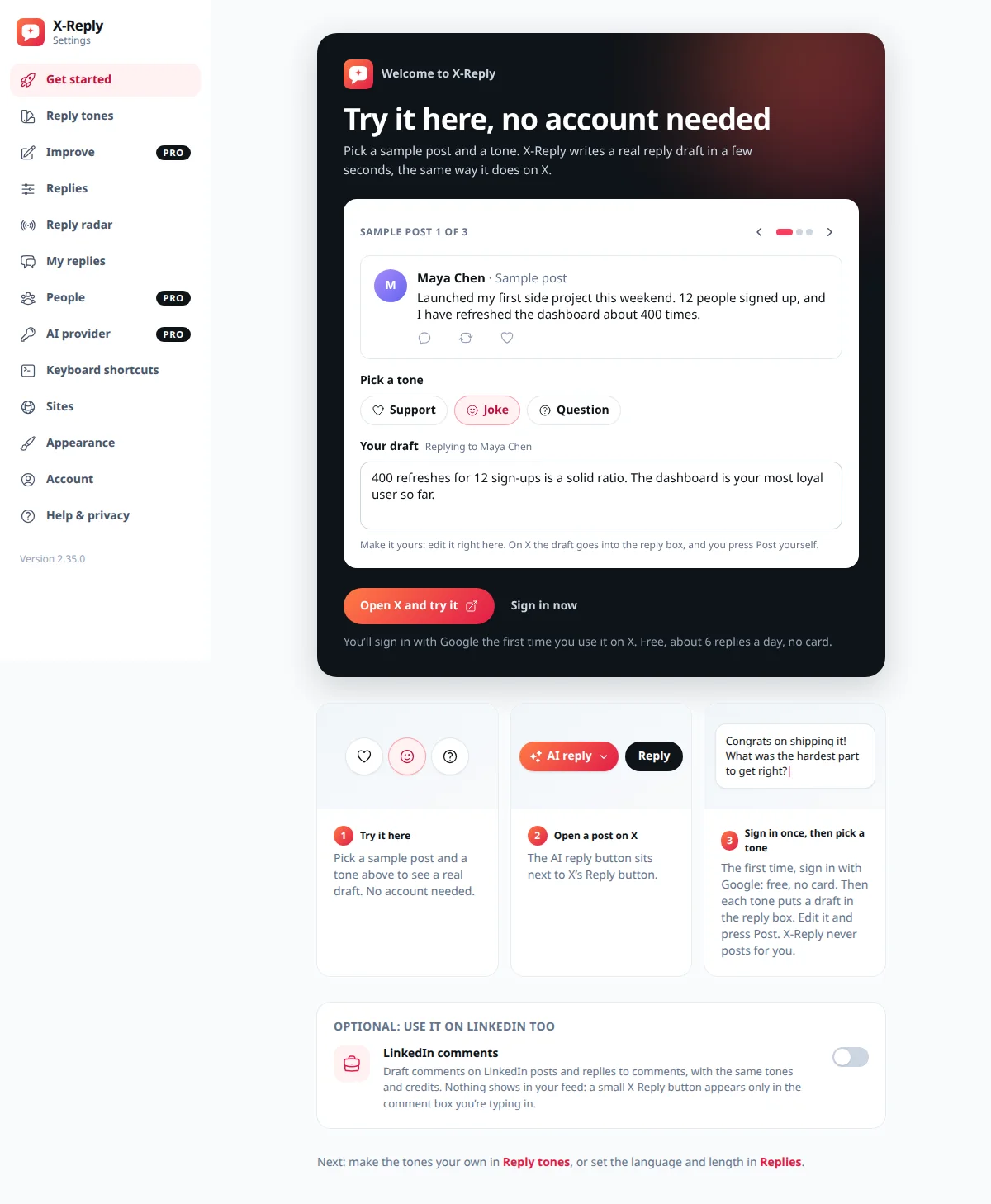
- 3The Get started tab opens by itself. Try the demo there: pick a sample post and a tone, and X-Reply writes a draft you can edit. No sign-in needed, and nothing is posted.
- 4Click Open X and try it, open a post and press AI reply. The first time, X-Reply asks you to sign in with Google: one sign-in, and you get 6 free credits every 24 hours.
- 5If x.com was already open when you installed X-Reply, reload that tab once so the button appears.
See it in action · 0:12On a demo X page with made-up people. Nothing is posted.
- Open the Get started tab. It opens when you install X-Reply
- Pick a sample post and a tone
- Edit the draft, then click Open X and try it
What is sent where
The demo sends only which sample post and tone you picked to X-Reply’s server, with no account. Signing in gives X-Reply your Google name, email and picture, which it keeps with your account and credits. X-Reply never asks for your X password and never signs in to X for you.
More in What is sent where and the privacy policy.
If something goes wrong
- “Sign in to use it on X”
- You picked a tone before signing in. Press Sign in with Google; when it’s done, the card says “You’re signed in” and offers to write the draft you asked for.
- “Please sign in again”
- Your sign-in expired. Press Sign in with Google again; your credits and settings stay as they were.
- No AI reply button on x.com
- Reload the x.com tab once after installing or updating X-Reply. The button shows in an open reply box, next to X’s Reply button: open a post or press Reply on one.
- “The live demo is busy, this is a sample draft.”
- The demo has a daily limit shared by everyone. The draft shown is a pre-written example; your replies on X aren’t affected.
Still stuck? Help and contact.