Browse the docs
Docs›Writing replies
3 drafts per click and draft angles PRO
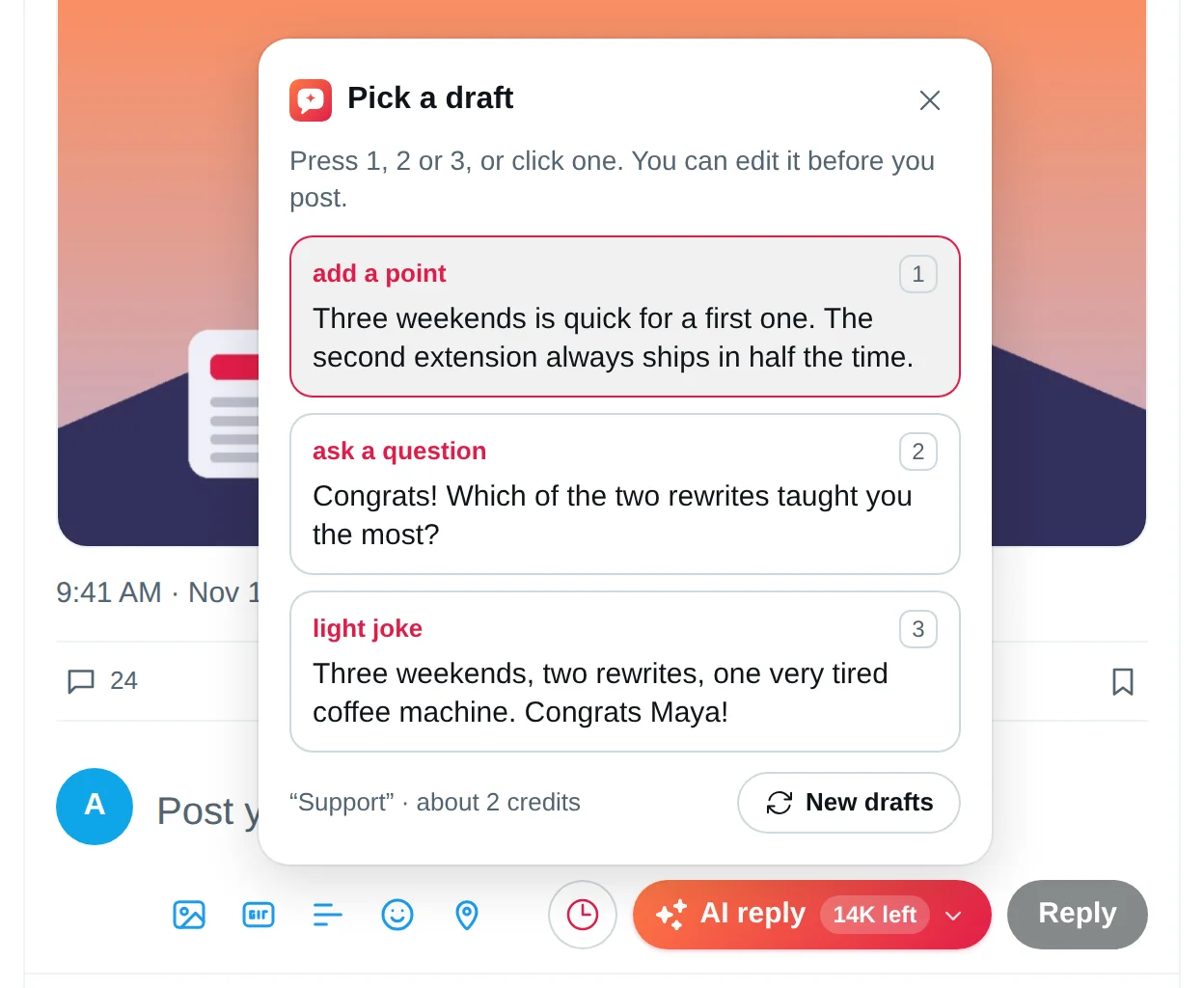
With Pro, each click writes 2 or 3 labelled drafts and you pick one. Choose the angle of each draft, or describe how they should differ.
Part of X-Reply ProAdded in 2.6.0Settings › Replies › Pick a draft
Pro: $7.99 a month or $49 a yearHow to use it
- 1Pick a tone as usual: Pro writes 3 labelled drafts. Settings › Replies › Drafts per click sets 2 or 3.
- 2Pick one with the mouse or keys 1 to 3, and it goes into the reply box. New drafts writes a fresh set in the same tone (about 2 credits).
- 3After a pick, Pick another on the “Draft added” toast shows the same drafts again at no cost.
- 4Settings › Replies › Draft angles: Let X-Reply choose, Choose angles, or Describe them in your own words.
- 5Choose angles takes 3, in the order you want the drafts: add a point, ask a question, light joke, counterpoint, agree and add a tip, share an experience, or match the replies.
See it in action · 0:11On a demo X page with made-up people. Nothing is posted.
- Click AI reply and pick a tone
- Pro writes 3 labelled drafts
- Pick one (or press 1–3). It lands in the box
What is sent where
The same as for one draft, plus the angles you picked or your own description of them.
More in What is sent where and the privacy policy.
If something goes wrong
- “The drafts came back incomplete. Try again.”
- The AI’s answer was cut off. Press Try again or New drafts.
- “Pick 2 more. Until you do, X-Reply chooses the angles.”
- Choose angles needs exactly 3. Pick the rest, or switch to Let X-Reply choose.
- Angles change nothing with 2 drafts
- Angles are for 3 drafts per click. With 2, X-Reply chooses how they differ.
Still stuck? Help and contact.