Browse the docs
Docs›Writing replies
Improve a reply in one click PRO
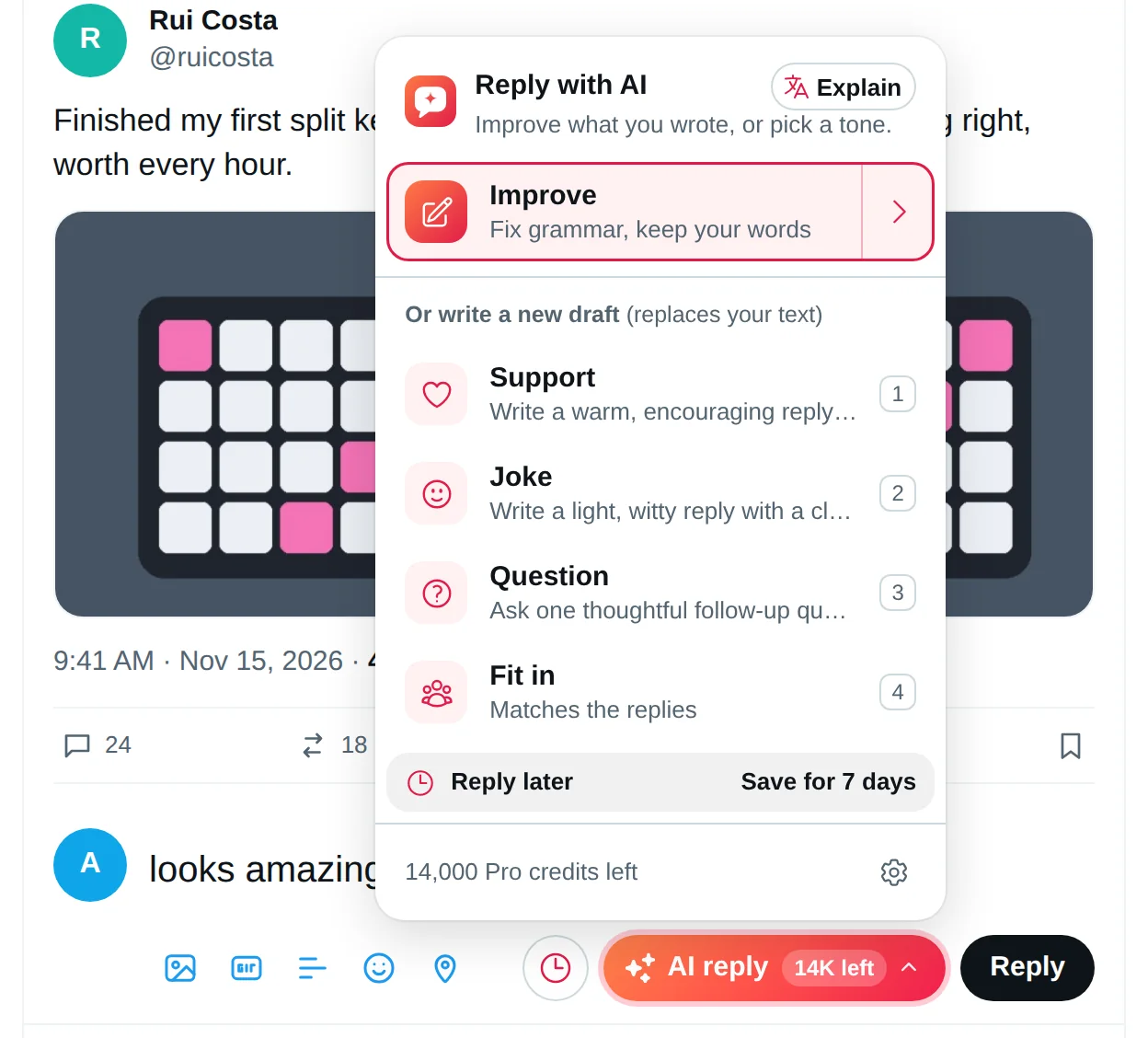
Type your reply, open AI reply and click Improve: X-Reply fixes grammar and phrasing and keeps your words. More ways to rework it sit under ›.
Part of X-Reply ProAdded in 2.8.0Settings › Improve
Pro: $7.99 a month or $49 a yearHow to use it
- 1Write your reply in X’s reply box, or keep a draft X-Reply wrote.
- 2Click AI reply. With text in the box, the first row is Improve: click it to fix grammar and phrasing in your own words.
- 3Click › next to it for more: make it shorter or more casual, add a question or your own take, or translate it.
- 4The improved text replaces what was in the box. Undo puts your text back.
- 5Each improvement uses about 1 credit. Settings › Improve sets which one runs first, hides the ones you don’t use, or switches Improve off.
See it in action · 0:12On a demo X page with made-up people. Nothing is posted.
- Type your own reply in the box
- Open AI reply and click Improve
- Your words come back polished. Undo puts yours back
What is sent where
The text in the reply box, the improvement’s instructions and any words you type into it, with the post’s text, to X-Reply’s server and OpenAI (or your own AI key’s provider).
More in What is sent where and the privacy policy.
If something goes wrong
- Improve shows a PRO lock: “Improve your reply with Pro”
- Improve is part of Pro. On Free the row is locked and nothing is sent.
- “Couldn’t put your text back”
- Undo couldn’t write into the reply box. The card shows what was there: copy it and paste it back.
Still stuck? Help and contact.