Browse the docs
Docs›Guidelines
Pace and repetition guard FREE
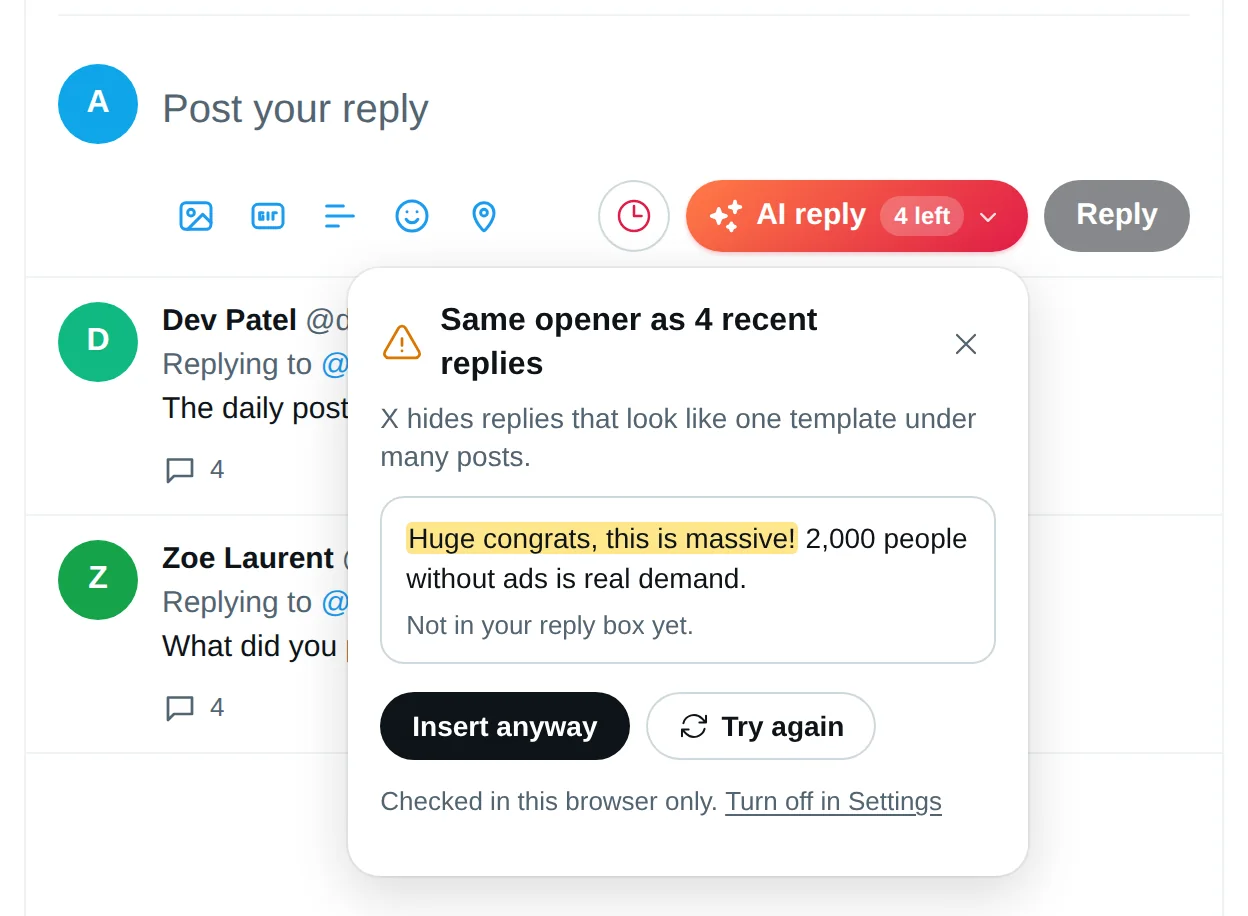
Before a draft goes into the reply box, X-Reply checks it against your recent drafts and pace, and says why when it would look automated.
Free for everyoneAdded in 2.21.0Settings › Replies › Warn before bot-like replies
X hides replies that look automated: the same opener or closing question under many posts, replies in quick bursts, or a reply seconds after a big account posts. The pace guard catches those before you post, and never blocks you.
In practice
- 1Write a draft as usual. When it looks bot-like, a small card says why instead of pasting it straight away.
- 2Repetition: “Same opener as 4 recent replies” (the words are marked), the same closing question, or the same shape as recent drafts. Try again writes one that opens or ends differently.
- 3Pace: “Your 16th reply in 10 minutes”, or “This post is 40 seconds old” for a big account’s fresh post. Cancel stops there.
- 4Insert anyway puts the draft in as usual.
- 5Settings › Replies › Warn before bot-like replies turns it off; Forget my recent replies clears what it remembers.
See it in action · 0:12On a demo X page with made-up people. Nothing is posted.
- Reply to many posts in a few minutes
- X-Reply warns before a bot-like pace or a repeated reply
- Slow down, or change the draft
If something goes wrong
- It warns about an ordinary reply
- Insert anyway and go on; the guard is a hint, not a block. If it keeps warning, Forget my recent replies starts its memory fresh.
Still stuck? Help and contact.