Browse the docs
Docs›Writing replies
Explain a post before you reply PRO
A post in another language, slang or a meme you don’t get? Explain gives one line on what it means, in your language, for 1 credit.
Part of X-Reply ProAdded in 2.13.0Settings › Replies › Explain posts in
Pro: $7.99 a month or $49 a yearHow to use it
- 1Open the post, or press Reply on it, and click AI reply.
- 2Click Explain at the top of the menu, or press E.
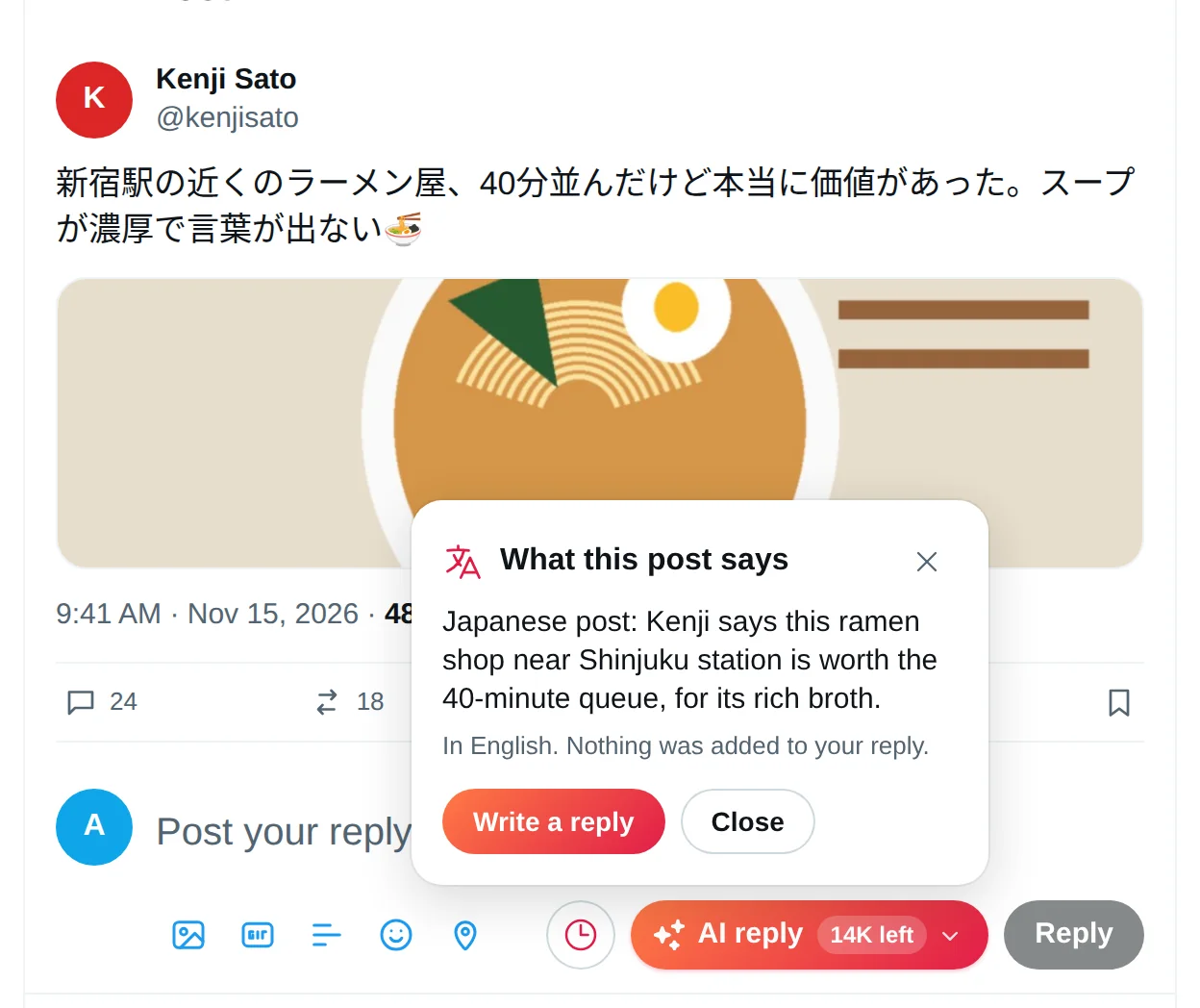
- 3A card shows one line on what the post means, using the thread above it, a quoted post and its image. Nothing goes into your reply box.
- 4Write a reply closes the card and opens the menu, ready for a tone.
- 5It uses 1 credit on any model, and the same post again costs nothing. Settings › Replies › Explain posts in sets the language (your browser’s by default).
See it in action · 0:10On a demo X page with made-up people. Nothing is posted.
- Open AI reply on a post you don’t fully get
- Click Explain (or press E)
- One line says what the post means. Nothing goes in your reply
What is sent where
The post, up to 3 posts above it in the thread, a post it quotes and its first image, to X-Reply’s server and OpenAI (or your own AI key’s provider). Your voice isn’t used.
More in What is sent where and the privacy policy.
If something goes wrong
- Explain has a PRO tag: “Understand any post with Pro”
- Explain is part of Pro. On Free a click shows the Pro offer and nothing is sent.
- The line is in the wrong language
- Set the language in Settings › Replies › Explain posts in. A new language is answered fresh, not from memory.
Still stuck? Help and contact.