Browse the docs
Docs›Working on X
Answer the replies to your posts PRO
On X’s Notifications page, X-Reply counts the replies to your posts you haven’t answered and walks you through them one at a time.
Part of X-Reply ProAdded in 2.18.0
Pro: $7.99 a month or $49 a yearHow to use it
- 1Open Notifications on X (All or Mentions). A bar above the list says, for example, “7 replies to your posts haven’t been answered”.
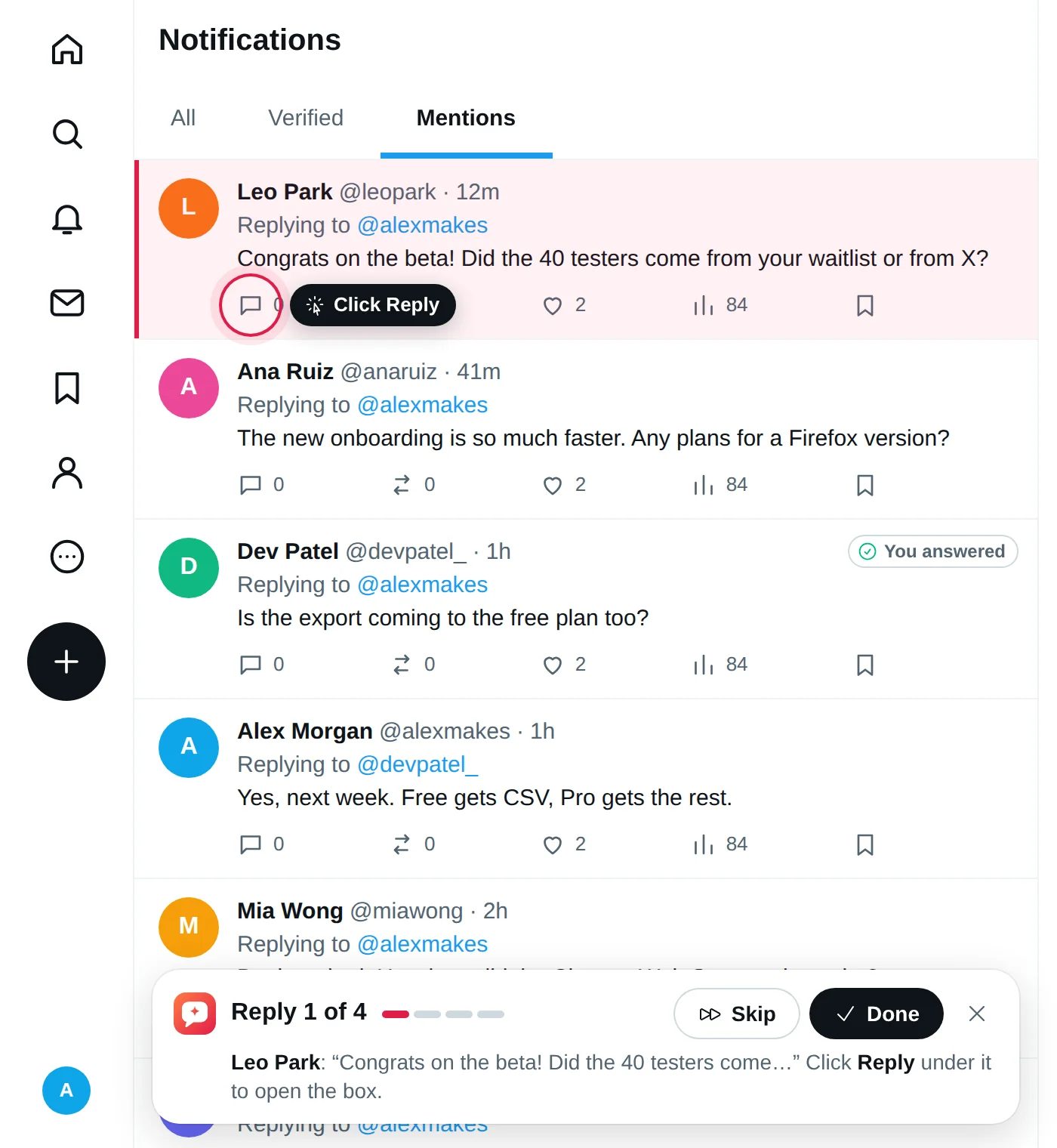
- 2Press Start. X-Reply scrolls to the first reply and points at X’s own Reply button.
- 3Click Reply. The AI reply menu opens with X’s reply box (“Reply 1 of 7. You review it, then post.”): pick a tone, check the draft and press Reply yourself.
- 4Done moves on and the reply isn’t counted again. Skip leaves it for later; it comes back on your next visit.
- 5The end card says how many you answered and skipped.
See it in action · 0:11On a demo X page with made-up people. Nothing is posted.
- Open Notifications and click Start
- Reply to the marked post: the AI menu opens by itself
- Press Done for the next reply
What is sent where
Nothing for the count: X-Reply reads only the Notifications page you have open, and keeps the id numbers of replies you marked Done in this browser. Drafts are written and charged like any reply.
More in What is sent where and the privacy policy.
If something goes wrong
- Start has a PRO tag: “Answer your replies with Pro”
- Answering through the list is part of Pro. Not now hides the bar for 7 days.
- “… isn’t on the page right now”
- X unloaded that reply while you scrolled. Scroll to it, or Skip it.
- A reply you answered is still counted
- X-Reply counts a reply as answered when your own reply shows right under it. When it can’t tell, it counts it: press Done.
Still stuck? Help and contact.